
Automate prepress · For labs, studios and print shops
Quick Calendar makes photo calendars in a few clicks.
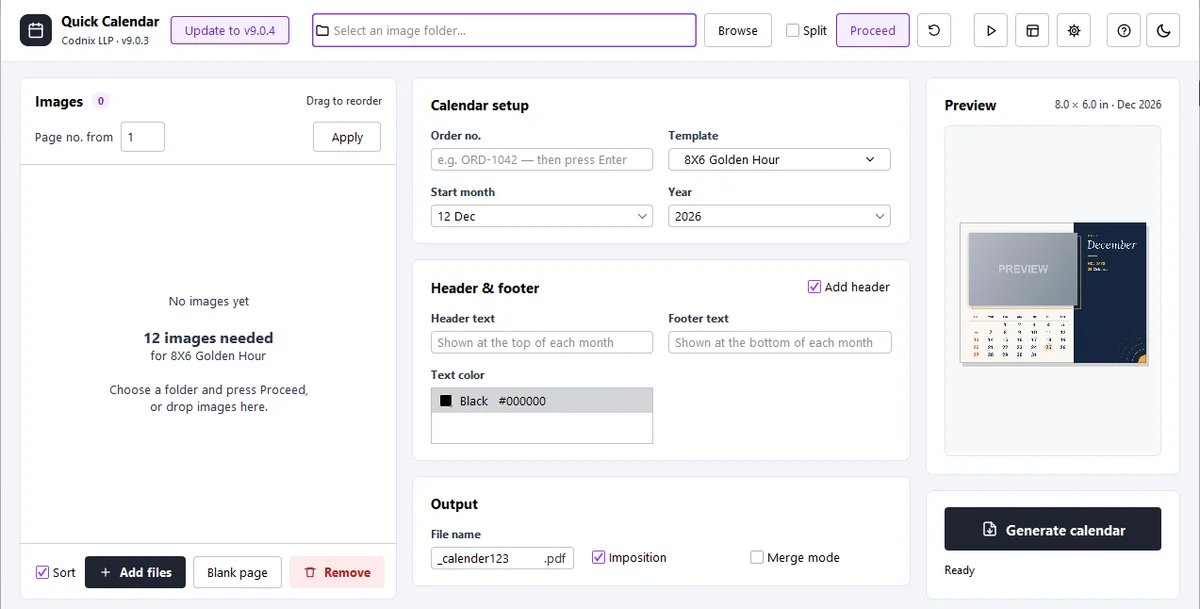
Quick Calendar is Windows software that turns a folder of photos into a print-ready photo calendar. Pick a design, choose the photos, set the start month and press Generate. The automation add-on makes calendars in batches from hot folders.
- Windows
- Works offline
- Automation add-on
- 15-day trial
- ready templates in 7 series
- 200+
- in 1–2 minutes with automation
- 50 orders
- free trial with every design
- 15 days
What it does
Every calendar, ready for the press.
- Template library200+ templates in 8×6, 8×4, 6×8 and 12×18, free with the licence.Templates
- Your own designsPhoto boxes, grids, fonts, colours, logo, cover, header and footer with a live preview.Designer
- Indian festivalsPublic holidays and festivals for 2026–29 marked on the dates.India
- Press-sheet layout13×19, 12×18, 20×30 or custom sheets, single or double sided, with cut marks.Imposed
- Photo-fit checkFlags photos that would be cropped badly, with move and zoom controls.Checks
- Automation add-onOne folder per order in a hot folder, made one after another.Batches
How it works
Four clicks to a calendar.
- 01Pick a designFrom the library or your own.
- 02Choose the photosPoint to the customer’s photo folder.
- 03Set the monthStart month and year.
- 04GenerateA print-ready, imposed PDF.
Built for
Photo labs / Photo studios / Album makers / Print shops
Questions
About Quick Calendar
Does Quick Calendar mark Indian festivals?
Yes. Public holidays and festivals for 2026 to 2029 are built in and marked on the dates in your chosen style.
Can it make calendars in bulk?
Yes. With the automation add-on, each order folder in a hot folder becomes a calendar, one after another.
Is there a free trial?
Yes, 15 days with every feature except automation.
Can calendars use Hindi month names?
Not yet. Calendar text currently prints in English only.