
Karizma album size: sheet sizes, pages and Photoshop setup
Karizma album size explained for labs and designers: the 12x36, 12x30 and 12x24 sheets, the page each one folds into, and how to set them up in Photoshop.
Short answer
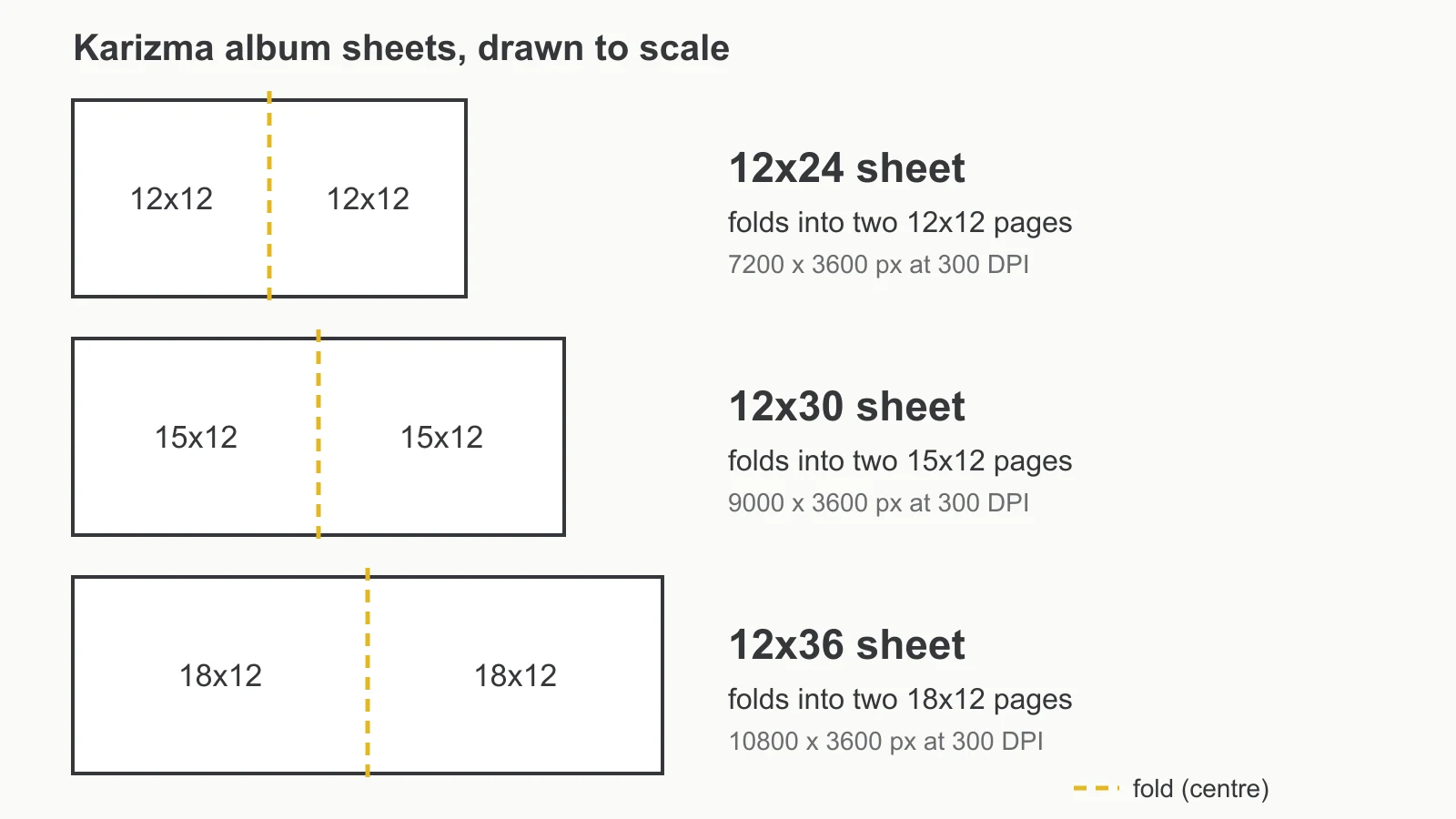
- Karizma album sizes name the open sheet. The common ones are 12x36, 12x30 and 12x24 inches, which fold into 12x18, 12x15 and 12x12 inch pages.
- 12x36 is the usual wedding size. Each Karizma sheet is one printed spread, so a 40 sheet album shows 40 spreads.
- In Photoshop, a 12x36 sheet is a 36 x 12 inch document at 300 pixels per inch, which is 10800 x 3600 pixels, with a guide at 18 inches for the fold.
- The sizes have different shapes: 12x36 is 3:1, 12x30 is 2.5:1 and 12x24 is 2:1, so a design made for one size cannot be moved to another without cropping.
Karizma album size is almost always given as the open sheet, not the closed book. The common sizes are 12x36, 12x30 and 12x24 inches, which fold into 12x18, 12x15 and 12x12 inch pages. 12x36 is the one most wedding studios order. Each sheet is one printed spread, so set up your design file at the full sheet size.
This guide is for lab owners, album designers and studios. It covers what a Karizma album is, the sizes and what they fold into, the Photoshop setup, and the minibook, cover, box and bag that usually come with the order.
What is a Karizma album?
In India, "Karizma" is the name studios and labs use for an album where each spread is printed on photographic paper and mounted on a thick, rigid sheet. TechJockey describes the paper as lustre paper that is more rigid than normal paper, with a UV coated top layer. It also says the album has a flush mount, lay flat build, so pages turn without breaks.
Acciopix, a Bangalore printer, puts it simply: "A sheet is one spread." The sheets are mounted back to back and the album lies flat when open.
Because each sheet is thick, a Karizma album holds fewer pages than a bound photo book of the same weight. That is why studios talk about Karizma albums in sheets, and why labs quote them per sheet.
The name is also used for the album design software many designers work in, which is the subject of the TechJockey article. So when a designer asks for the "Karizma size", they usually mean the size of the spread file.
What sizes do Karizma albums come in?
Three sizes cover most orders. Acciopix lists 12x36, 12x30 and 12x24 as its Karizma sheet sizes, folding into 12x18, 12x15 and 12x12 books.
| Karizma sheet (open) | Page (closed book) | Shape of the sheet | Typical use |
|---|---|---|---|
| 12x24 | 12x12 | 2:1 | Pre-wedding, engagement, smaller albums |
| 12x30 | 15 wide x 12 high | 2.5:1 | A wider page without the bulk of 12x36 |
| 12x36 | 18 wide x 12 high | 3:1 | The usual wedding album |
The smaller number is the height of the book. The larger number is the full width of the open sheet, from the left edge of the left page to the right edge of the right page.
Some album makers offer more. Glorious Wedding Album, a Delhi album maker, lists 12x18, 12x24, 12x30, 12x36, 15x24, 15x30, 17x24 and 20x30 as available sizes for its Karizma albums. On a list like that, 12x18 may be the page of a 12x36 album or a small open sheet with 12x9 pages. Before you design, ask the lab how each size folds.
Why the shape of the sheet matters
A 12x36 sheet is three times as wide as it is high. A 12x30 sheet is two and a half times as wide, and a 12x24 sheet is twice as wide. Each size has its own shape.
That matters when a studio changes its mind. If a couple's album was designed at 12x36 and the studio now wants 12x30, the designs will not fit. You either crop about a sixth of the width from every spread, or you add white bands at the top and bottom. Neither looks right on a wedding album, so the safe answer is to redesign or to go back to the original size.
The same rule helps when you check incoming files. If every spread in an order is 3:1 except one, that one was probably exported at the wrong size or cropped by mistake, and it is far cheaper to find on screen than on the press.
How do you set up a Karizma album size in Photoshop?
Pixels are inches multiplied by the resolution. At 300 pixels per inch, 12 inches becomes 3600 pixels and 36 inches becomes 10800 pixels. Our guide to wedding album size in pixels has the full table, including bleed and 250 DPI. Here is the Photoshop setup for a 12x36 Karizma sheet:
- Open File, then New. Set the width to 36 inches and the height to 12 inches.
- Set the resolution to 300 pixels per inch and the colour mode to RGB, 8 bit. Photoshop shows the size as 10800 x 3600 pixels.
- If your lab asks for bleed, add it to the outer edges only. With 0.125 inch on each side, the document becomes 36.25 x 12.25 inches.
- Add a vertical guide at 18 inches (or 18.125 inches with that bleed). This is the fold.
- Add guides for the safe area. PrestoPhoto, a US photo book printer, asks for important content at least 3/4 inch from the edges. Your lab may use a smaller number, so ask.
- Save the empty file as a template, for example "KZ 12x36 300", so every album starts from the same setup.
For 12x30, use 30 x 12 inches (9000 x 3600 pixels) with the fold at 15 inches. For 12x24, use 24 x 12 inches (7200 x 3600 pixels) with the fold at 12 inches.
When you export, save one JPEG per sheet at high quality and name the files in order: 01, 02, 03 and so on. With 01 instead of 1, sheet 10 never sorts before sheet 2.
Spreads, pages and what the lab prints
Studios design in sheets, but labs print in different ways. Some print the full sheet on one piece of paper. Others print each page separately and join them at the fold, depending on the press and the paper width. Ask your lab which one it does, because it decides what you send:
- If the lab prints full sheets, send one file per sheet at the sheet size.
- If the lab prints pages, it splits each sheet into a left and a right page. Some labs prefer you to send the sheets and let them split; others want pages.
- Either way, every file in the order must be the same size and the same shape.
Count the files before you send them. A 30 sheet order should have 30 sheet files, with the cover in its own folder. A missing or extra file is the most common reason an album gets stuck at the lab.
The minibook, cover, box and bag
A Karizma order rarely comes alone. Studios often order a cover, a box, a bag and a small copy of the album, the minibook. Each one has its own size, and none of them is the sheet size.
The minibook is the one to plan with the album. It works best when it keeps the shape of the main page: a 12x36 album has 18x12 pages, so a minibook with 9x6 or 6x4 pages uses the same designs without cropping. Our guide to the mini book album covers minibook sizes and printing.
Cover, box and bag sizes depend on the lab's boards, materials and wrap, so take them from the lab's own size list. Keep each design in its own folder, named for what it is.
How labs keep Karizma sizes consistent
A lab that prints Karizma albums every day sees the same sizes over and over, and the same mistakes: a 12x30 file in a 12x36 order, a low resolution photo, a sheet missing from the folder. The fix is to set each size up once, with its margins and linked items, and check every order against it.
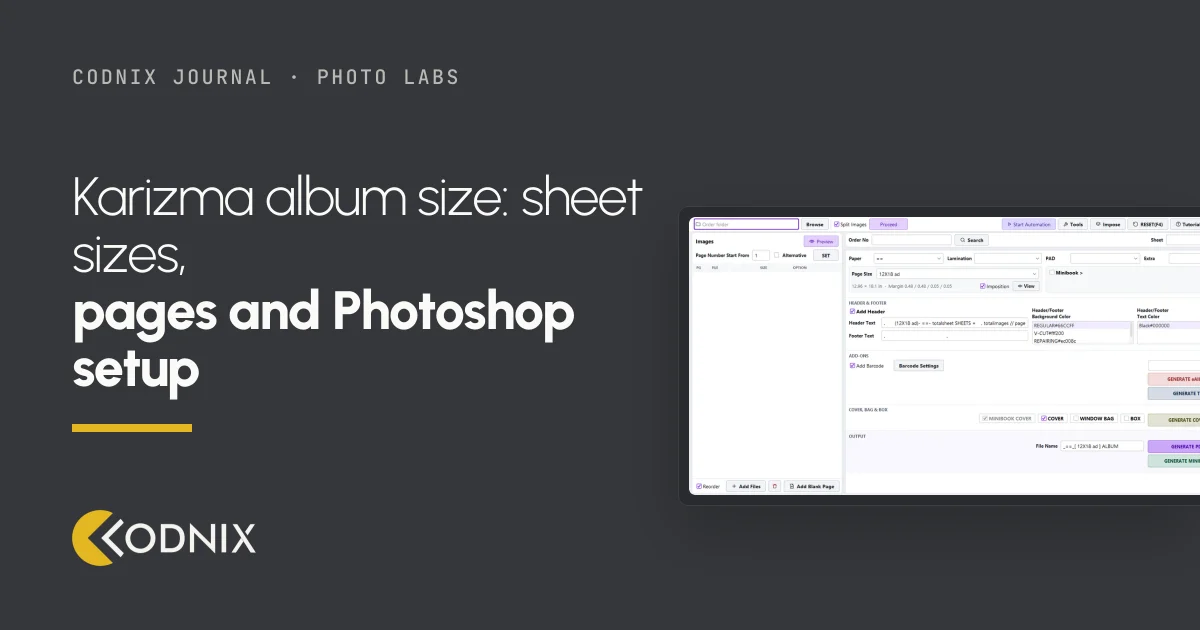
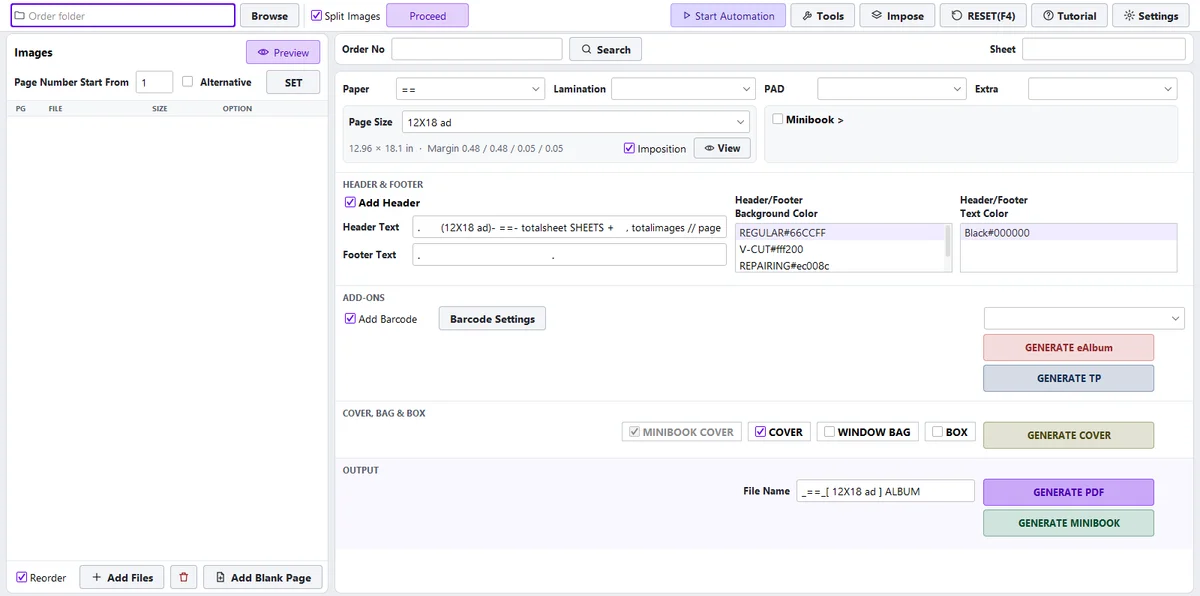
Quick PDF Generator is Windows software for album labs that works this way. You add each album size once, with its margins and the minibook size that goes with it. A built-in size calculator works out the PDF size and also converts mm to inches. When an order folder comes in, it splits the sheets into pages, checks page size, DPI, damaged images, mismatched ratios and page count, and then makes the photobook, minibook, cover, box and bag PDFs.
It saves staff time and cuts mistakes, because every order picks its size from the saved setup. This short Hindi tutorial shows how to add a new album size:
For the steps from finished design to print file, read how to make an album PDF for printing. For the rest of the lab's work, from the studio's upload to dispatch, see our software for photo labs.
Print Karizma albums every week? Try Quick PDF Generator free for 15 days, or call or WhatsApp +91 79904 72581 for a demo.
Frequently asked questions
What size is a Karizma album?
Most Karizma albums are 12x36, 12x30 or 12x24 inches, measured as the open sheet. Closed, they are 12x18, 12x15 and 12x12 inch books. 12x36 is the size most wedding studios order.
What is the Karizma album size in Photoshop?
For a 12x36 sheet, make a new document 36 inches wide and 12 inches high at 300 pixels per inch in RGB. That is 10800 x 3600 pixels. Add bleed only if your lab asks for it.
Is a 12x18 Karizma album the same as 12x36?
Often, yes. A 12x36 sheet folds into 12x18 pages, so some lists call it 12x18. Other lists use 12x18 for the open sheet, which folds into 12x9 pages. Ask the lab which one they mean.
What is the difference between a Karizma album and a photo book?
A Karizma album prints each spread on photographic paper and mounts it on a thick sheet that lies flat. A photo book uses thinner pages that are bound or stitched, so it holds more pages.
How many sheets does a Karizma album have?
It depends on the order. Studios and labs count Karizma albums in sheets, and each sheet is one spread, so ask the studio for the sheet count and check it against the files.