
How to make a photo calendar: a step-by-step guide for labs
How to make a photo calendar that prints right: pick the size, collect 12 or 13 photos, check resolution, mark holidays and export a print-ready PDF.
Short answer
- To make a photo calendar, fix the size first, collect 12 photos (13 with a photo cover), set the start month and year, mark holidays, place photos and month grids, and export a print-ready PDF with bleed.
- Check each photo at the size of its photo box. Aim for 300 DPI there; Nations Photo Lab says 125 PPI or higher prints well, so treat about 150 as the floor for customer phone photos.
- Proof the month grid once per design: the right year, the right start month, Sundays and holidays in the right colour, and nothing important in the binding strip.
- Labs that make many calendars save time with template software that turns a folder of photos into an imposed PDF with cut marks in a few clicks.
How to make a photo calendar, in short: decide the size first, then collect 12 photos (13 if the cover has a photo). Set the start month and year, mark the holidays, and place one photo and one month grid on each page. Export a print-ready PDF at 300 DPI with bleed, then print, trim and bind it. The photo only needs enough pixels for its own box.
This guide is for photo labs, studios and print shops that make personalised photo calendars for customers. The same steps work for one calendar for your own family, but we have written them for the November to January season, when calendar orders come in every day.
What do you need before you make a photo calendar?
Get five things fixed before anyone opens a design file. Changing any of them later means redoing pages.
| Decide | Why it matters | Typical choice |
|---|---|---|
| Size and shape | Sets the page, the photo box and the binding | 8x6 desk, 6x8 tall desk, 12x18 wall |
| Number of photos | 12 months, plus one if the cover has a photo | 12 or 13 photos |
| Start month and year | The grid is different every year | January 2027, or April 2027 to March 2028 |
| Holidays | Customers check festivals first | Gazetted list plus local festivals |
| Name or logo | Studio name, family name or business logo | Cover text and a small footer |
If you are unsure about the size, our photo calendar size guide has the inches, the pixels at 300 DPI and how many pages fit on a 13x19 sheet.
A personalised photo calendar for a family usually has one photo per month. A custom photo calendar for a desk often uses a wide photo above a small grid. A business calendar may use one product photo per month and the company logo on every page. Ask the customer which one they want before they send photos, because the photo shape depends on it.
How to make a photo calendar, step by step
This is how to make a photo calendar in a lab. The steps are the same for every order, whether the design is made by hand or from a template.
- Choose the design and size. Pick a design whose photo box matches the shape of most of the customer's photos. Wide photos go in wide boxes, portraits in tall ones.
- Collect the photos in one folder. Name the folder with the order number. Name the files 01 to 12 (and 13 for the cover) so the order is clear.
- Set the start month and year. January is the default, but check. Some customers want the calendar to start from the month they receive it.
- Mark the holidays. Use the list for the calendar's year, then add the customer's own dates if they asked for birthdays or anniversaries.
- Place the photos. One per month. Check that faces are not cut by the edge of the photo box.
- Add the cover and the name. Cover photo, title text, and your lab or studio name in a small footer if the customer agrees.
- Export a print-ready PDF. 300 DPI, 0.125 inch bleed on every side, and dates and text inside a safe margin. 4over4, a US printer, asks for the same: 300 DPI or more, 0.125 inch bleed and CMYK pages.
- Lay the pages out on the press sheet and print. Add cut marks, print, trim, punch and bind.
Making a photo calendar by hand in a general design program takes these eight steps for every single order. With a template, steps 1, 4, 6 and 8 are done once when the design is set up, and each new order only needs the folder, the start month and the order number.
How do you choose the right photo for each month?
Customers often send 30 photos and say "you choose". A little care here prevents most reprints.
Match each photo to the shape of the box: a tall photo in a wide box loses heads or feet. If most photos are portraits, suggest a tall 6x8 design instead of the wide 8x6.
Check resolution at the size of the photo box. Nations Photo Lab says "high resolution images (125 PPI or higher) print beautifully". For calendars, we suggest aiming for 300 and treating 150 as a working floor. An 8 x 3.5 inch photo box needs about 2400 x 1050 pixels at 300 DPI (8 x 300 by 3.5 x 300), and 1200 x 525 at 150 DPI.
Photos forwarded on WhatsApp are usually compressed. Screenshots are only as big as the phone screen. Ask for the original file or a Drive link, especially for a 12x18 wall calendar.
Ask about the months, too. Many families like a Diwali photo in October or November, a birthday photo in the birthday month and a holiday photo in May or June.
Keep the sharpest, brightest photo for the cover, because that is the page people see first when the calendar is given as a gift.
Which holidays should an Indian photo calendar show?
Holidays are the first thing many customers check, and a wrong festival date is the most common reason a calendar comes back.
Start from the central government list. The Department of Personnel and Training issued the 2027 list on 16 July 2026, with 17 gazetted holidays for central government offices in Delhi. They include Republic Day on 26 January (a Tuesday), Holi on 23 March, Diwali on 29 October and Christmas on 25 December. Offices outside Delhi follow a slightly different list chosen by state committees, so regional festivals change from state to state.
Then add the festivals your customers care about. A calendar for Gujarat may need Uttarayan and Navratri. One for Bihar needs Chhath Puja. Ask the customer if they want religious festivals, bank holidays or only national days.
Choose how holidays look on the page. Colour on the date, a circle around the number, a small dot or a short label all work. Labels need space, so on a year-at-a-glance page a circle or dot is easier to read.
Making a photo calendar by hand or with calendar software?
If you only need to know how to make a photo calendar once, a general design program is fine. You draw the photo box, type or paste the month grid, place the photo and export. For a lab with 40 calendar orders in a week, the same work repeated 40 times is where time goes and mistakes creep in: a wrong year, a missed holiday, a photo placed in the wrong month.
Template software splits the work into two parts. The design, grid, holidays, cover and sheet layout are set up once in the template. Each order then needs only its photos, start month and order number.
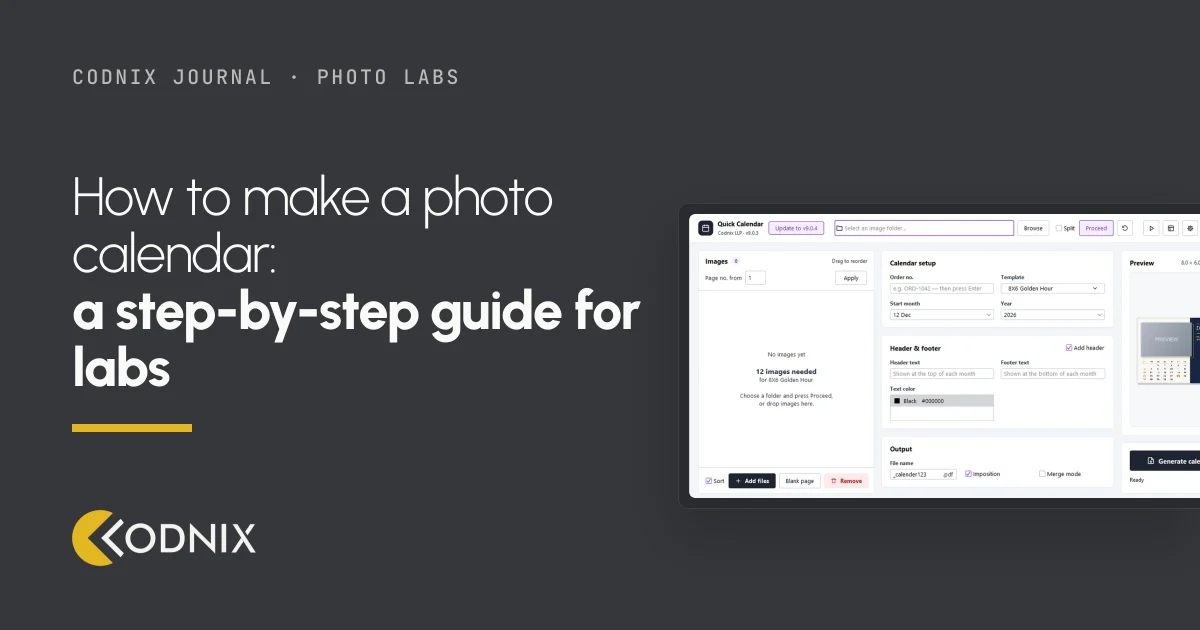
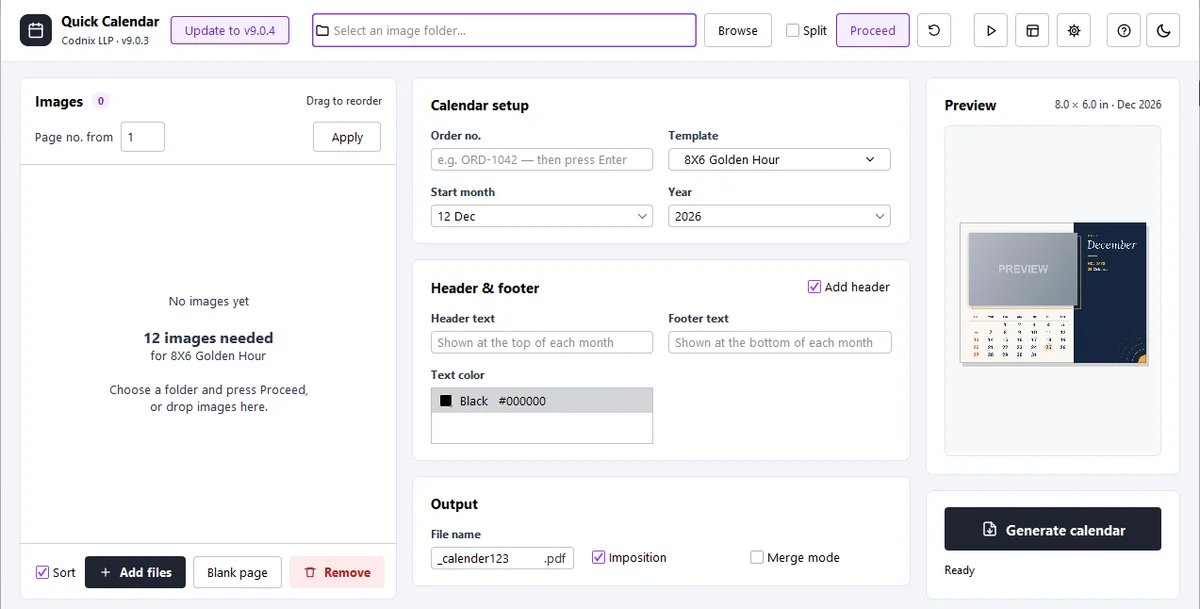
Quick Calendar is Windows software that works this way. You pick a design, choose the order's photo folder, set the start month and year, type the order number and press Generate calendar. It makes a print-ready PDF, and with the template's layout it comes out already placed on your press sheet with cut marks. Its free Calendar Template Library has 200+ ready templates in multiple sizes. A photo-fit check flags photos that do not match the photo box, and you can move, zoom or show the whole photo before generating. Holidays for 2026-27 are built in, and India public holiday and festival lists can be added in one click.
This short Hindi tutorial shows a full-year calendar being made from 12 photos:
If you have many orders in the season, see our guide to bulk photo calendar printing for how labs run calendars in batches.
What should you check before the calendar goes to print?
Run this list on the first PDF of every new design, then spot-check orders after that.
- The year on every page is right, and the first month is the one the customer asked for.
- Each month starts on the right weekday. Check January and one month in the middle of the year against a printed calendar.
- Holidays and festivals match the list for that year.
- Every photo is sharp at 100% zoom, with no faces cut at the edge of the box.
- The cover photo and cover text are right, including the spelling of names.
- Nothing important sits in the strip where the wire or holes go.
- The PDF has bleed and cut marks, and its file name carries the order number.
Print one copy of a new design and bind it before you run the whole batch. A calendar that looks right on screen can still have dates too close to the wire.
For other prepress work in the lab, see our software for photo labs and print shops.
Making calendars for the new year? Try Quick Calendar free for 15 days: call or WhatsApp +91 79904 72581.
Frequently asked questions
How many photos do I need to make a photo calendar?
A 12-month calendar needs 12 photos, one per month. If the design has a photo cover, you need 13. A year-at-a-glance calendar needs just one photo.
What size should a photo be for a calendar?
Enough pixels for its photo box at the printed size. For an 8 x 3.5 inch box, that is about 2400 x 1050 pixels at 300 DPI, or 1200 x 525 at 150 DPI.
Can a photo calendar start in April instead of January?
Yes. Any month can be the start month, and the calendar simply runs into the next year. Business customers in India often ask for April to March to match the financial year.
Which holidays should an Indian photo calendar show?
Start with the central government gazetted list for the year, then add the festivals your customers in that region celebrate. Check every date against the list for the calendar's year, not last year's.
What is the fastest way for a lab to make photo calendars?
Use a template-based calendar program. You pick the design, point it at the order's photo folder, set the start month and press Generate, and it makes the print-ready PDF.