
What is web to print? A plain guide for print shops
What is web to print? The meaning in plain words, how an online print order moves from editor to press, and what a print shop or photo lab needs to start.
Short answer
- Web to print means selling printed products through a website: the customer picks a product, designs or uploads artwork in the browser, sees a proof and the price, pays, and the shop receives a print-ready file.
- A web-to-print setup has three parts: an online store with product options and prices, an online editor where customers design, and order management that takes the job to production and delivery.
- For Indian print shops and photo labs, web to print moves the back-and-forth of WhatsApp, pen drives and phone calls into one order that already carries the design, the options and the payment.
What is web to print? It is a way for a print business to sell printed products through its own website. The customer chooses a product, designs it in an online editor or uploads a file, checks a proof and the price, and pays. The shop receives the order with a print-ready file, so the job can go to production without a round of calls and corrections.
If you run a print shop, a photo lab or a gifting store in India, you already do most of this by hand. Orders come on WhatsApp, the design is made at your counter in CorelDRAW or Photoshop, the customer asks for 3 rounds of changes over 2 days, and payment comes by UPI after a reminder. Web to print puts those same steps on a website the customer can use at any hour.
What is web to print, in plain words?
Think of an online shop where every product can be personalised before it is bought. A customer opens your site, picks "photo calendar, 8x6, wiro binding", drops in 12 photos, types the family name on the cover, sees the page exactly as it will print, and pays. Your team sees a new order with the file already made.
Wikipedia describes web-to-print as commercial printing done through websites, and notes it also goes by remote publishing and print e-commerce. You will also see it written as web2print or W2P. These all mean the same thing.
The term is not new. Wikipedia traces public use of the phrase to an article from February 1999, when early e-commerce sites first let printers take files over the internet. What has changed is that the editor now runs well in a phone browser, which matters in India, where most of your customers will order from a phone.
How does web to print work, step by step?
Most web-to-print setups follow the same order flow. The names differ from one platform to the next, but the steps do not.
- Choose a product. The customer picks a product and its options: size, paper, cover, finish, quantity.
- Design it. They start from a template or a blank page in the online editor, add photos and text, or upload a finished file.
- Proof it. A live preview shows the product as it will print. The customer fixes spelling, moves a photo or changes a colour on their own.
- Price and pay. The price updates with each option they choose, and they pay at checkout.
- Make the print file. The system turns the design into a high-resolution file, usually a PDF. Wikipedia notes that for digital presses, the template becomes a PDF master file.
- Produce and deliver. The order lands on the shop's dashboard with its file and details. Staff print, finish and dispatch it, and the customer gets status updates.
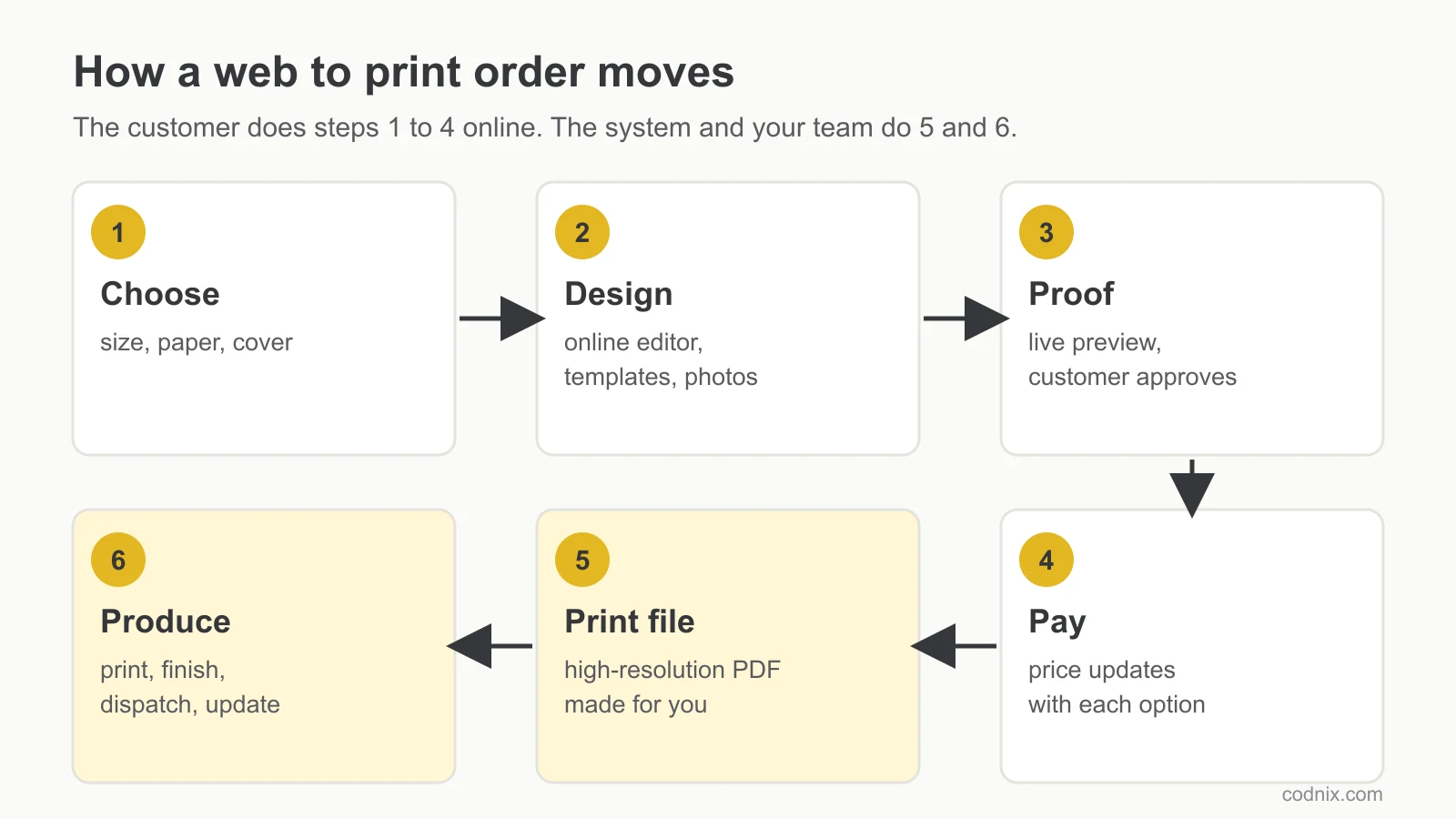
The big change is step 3. In a counter-based shop, proofing is where the time goes. On a web-to-print site, the customer proofs their own job before paying, and an approved, paid order is much less likely to come back for a reprint.
What does a web-to-print platform include?
A web-to-print platform has three main parts. A shop can buy them from one vendor or stitch them together, and how well they fit together decides how much work your staff still do by hand.
The online store
This is the website your customers see. It holds your catalogue (photobooks, calendars, frames, mugs, cards), the options for each product, and a price calculator that changes the price as options change. It also handles checkout, payment and order tracking for the customer. It should carry your own brand and domain.
The online editor
This is the part that makes web to print different from a normal online shop. Customers design inside the browser: drag and drop photos, edit text, pick a template, and see a real-time preview. Customer's Canvas, a company that builds editors for print, lists what buyers should check here: a WYSIWYG interface, a preview, template and clipart libraries, text formatting and fonts, and print-ready PDF output.
For photo products, good editors also help with layout. Placing 40 photos into a photobook by hand takes a customer a long time, so some editors offer automatic layouts that fill the pages for them.
Order management
This is what your team uses. New orders arrive with their files and specifications, move through your production stages, and close when dispatched. Good order management also checks uploaded files (resolution, size, a 3 mm bleed) before they reach the press, and sends invoices and status messages on its own.
Who is web to print for?
Web-to-print sites serve two kinds of buyers, and the setup differs for each.
| Selling to consumers (B2C) | Selling to businesses (B2B) | |
|---|---|---|
| Who orders | Families, couples, gift buyers, students | Companies, schools, agencies |
| Typical products | Photobooks, calendars, frames, mugs, puzzles, keychains | Visiting cards, letterheads, brochures, banners |
| What they need most | An easy editor, templates, live preview, online payment | Locked brand templates, reorders, approvals, invoices |
| Order size | One piece, often a gift | Bulk, repeat orders |
For a photo lab or gifting store, B2C is where web to print fits most naturally. Consumers want to design on a phone at night, see exactly what they will get, and pay online. Wikipedia also mentions approval workflows, where a manager signs off on staff print requests. That is the B2B side, and it matters if you print stationery for companies.
Why are print shops and labs moving to web to print?
Here is what changes when a shop takes orders through its own web-to-print store.
- The customer does the routine design work. Your designer stops making small edits for walk-in customers and spends time on jobs that need real design skill.
- Fewer prints go wrong. The customer approves a proof before paying. Spelling, photo choice and cropping are their decision, on record.
- Files arrive ready. Customers upload original photos instead of WhatsApp-compressed copies or screenshots. The editor works with the uploaded originals and can warn when a photo falls below about 150 DPI at its printed size.
- Prices follow your rules. The same calendar costs the same at 11 pm on a Sunday as it does at the counter on Monday.
- You can sell beyond your area. A customer in another city can design and order without visiting.
The season shows the difference most. Between October and January, labs handle Diwali gifts, wedding albums, new year calendars and corporate diaries at once. A web-to-print store keeps taking orders while the counter is full.
There are costs to think about too. Wikipedia notes that small and mid-sized printers have long struggled with the price of these systems and with finding staff to run an online store. You will need someone to set up products and templates, answer customer questions and keep the catalogue current. Plan for that before you launch.
What does a print shop need to start with web to print?
You need four things in place. The platform is only one of them.
- A short product list. Start with the products you already print well every day, with sizes and papers you can deliver on time.
- Templates for each product. Customers start from a template far more often than from a blank page. A few well-made templates per product are enough to start, and you can add more as you see what sells.
- Clear rules for price and delivery. Decide prices per option, delivery times and courier charges before the site goes live.
- A web-to-print platform that covers the store, the editor and order management in one place.
Our guide to the best web to print software lists what to check when you compare platforms. If you are starting from zero, read how to start an online printing website for the full plan.
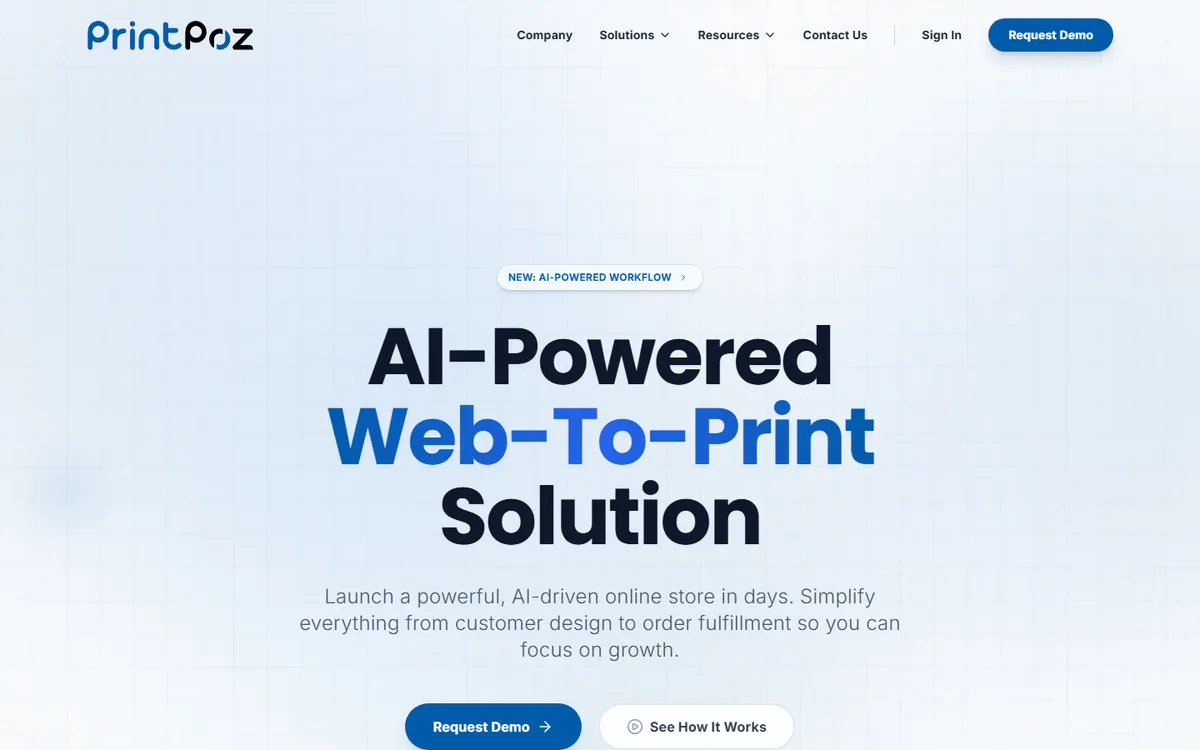
PrintPoz is the web-to-print platform from Codnix, a B2C solution for the printing industry. It gives a print shop or lab its own branded online store, with PrintPoz's own online editor where customers design with templates, drag and drop and a live preview, and the store makes print-ready files. For photobooks and calendars, Smart Creation lays out the customer's best photos automatically. Orders then move through PrintPoz order management from upload to delivery.
If you also handle album orders from studios, see how photo lab order management works, and the full set of tools for print shops and photo labs.
Want to see how your own products would look in an online store? Book a PrintPoz demo.
Frequently asked questions
What is web to print in simple words?
It is an online shop for printed products. Customers choose a product such as a photobook, calendar or visiting card, design it in the browser or upload a file, approve a proof, pay, and the printer gets a ready-to-print file.
What is the meaning of web2print or W2P?
Web2print and W2P are short forms of web-to-print. All three names mean the same thing: ordering, designing and paying for print jobs through a website. Wikipedia also lists remote publishing and print e-commerce as other names.
Is web printing the same as web to print?
No. In the press room, web printing usually means printing on a continuous roll of paper (a web press), as used for newspapers. Web to print is about taking print orders through a website, and the job may then run on any press.
Who uses web-to-print software?
Print shops, photo labs and gifting stores that sell personalised products to consumers, and printers that run order portals for businesses. Consumers use the storefront and editor; the shop uses the admin side to manage products, prices and orders.
Do customers need design software to order online?
No. A web-to-print editor runs in the browser on a phone or computer. Customers start from a template, add their photos and text, and see a live preview before they order.